How do I download user information as a site admin?
Site administrators can download user information directly from the Manage Access page. They can export data on users to whom they gave access to purchased products, on users requesting such access and on licenses for individual machines as well as for network setups, respectively.
-
Log in to your Wolfram Account.

-
In the top navigation bar, select My Site Programs. The Sites Home page will display a list of site licenses for which you are designated as a site administrator.
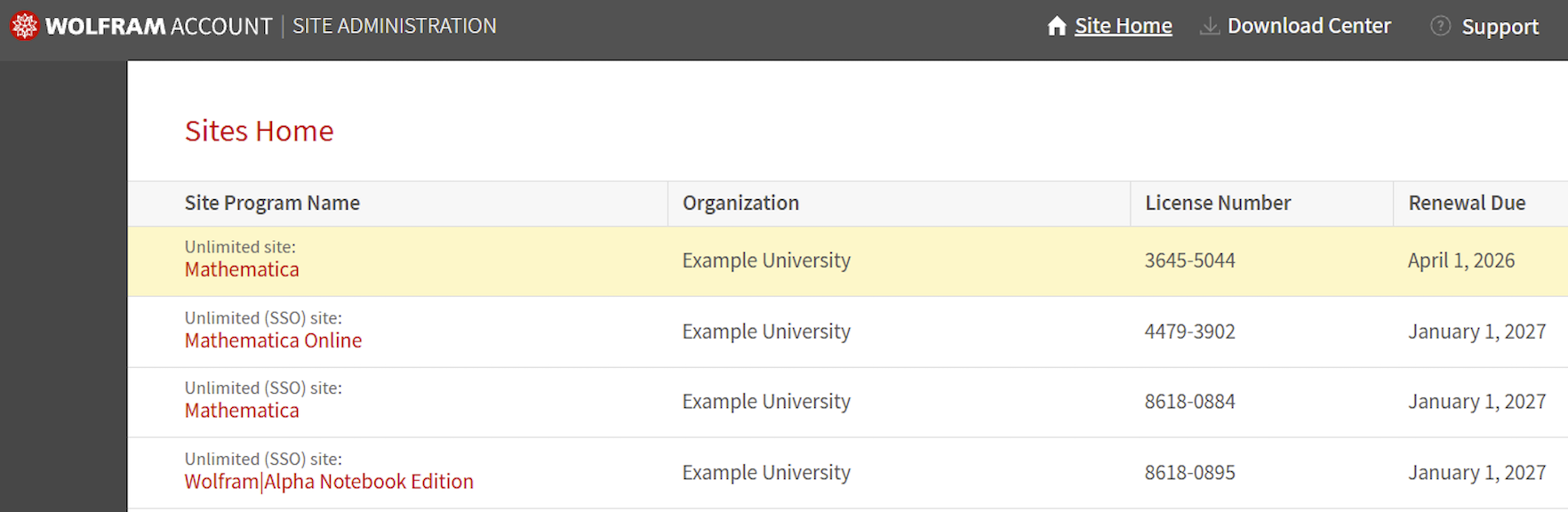
-
Select the relevant product to open its Manage Access page.
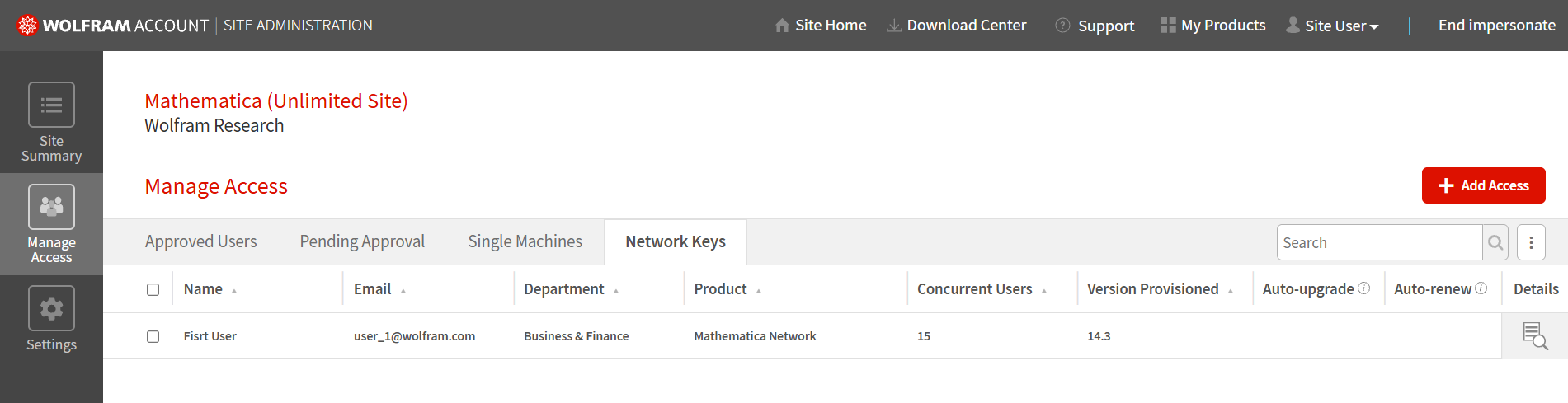
- On the Manage Access page, select the tab for the type of user information you want to download.
-
Click the three-dot icon (⋮) on the right.
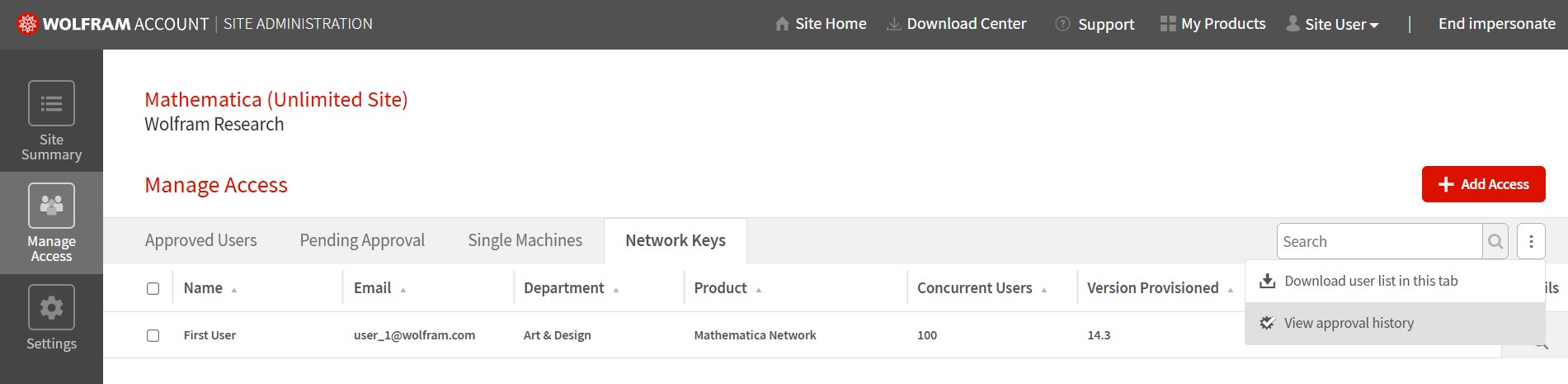
- Click “Download user list in this tab”.
-
Review the Data Access and Usage Agreement.
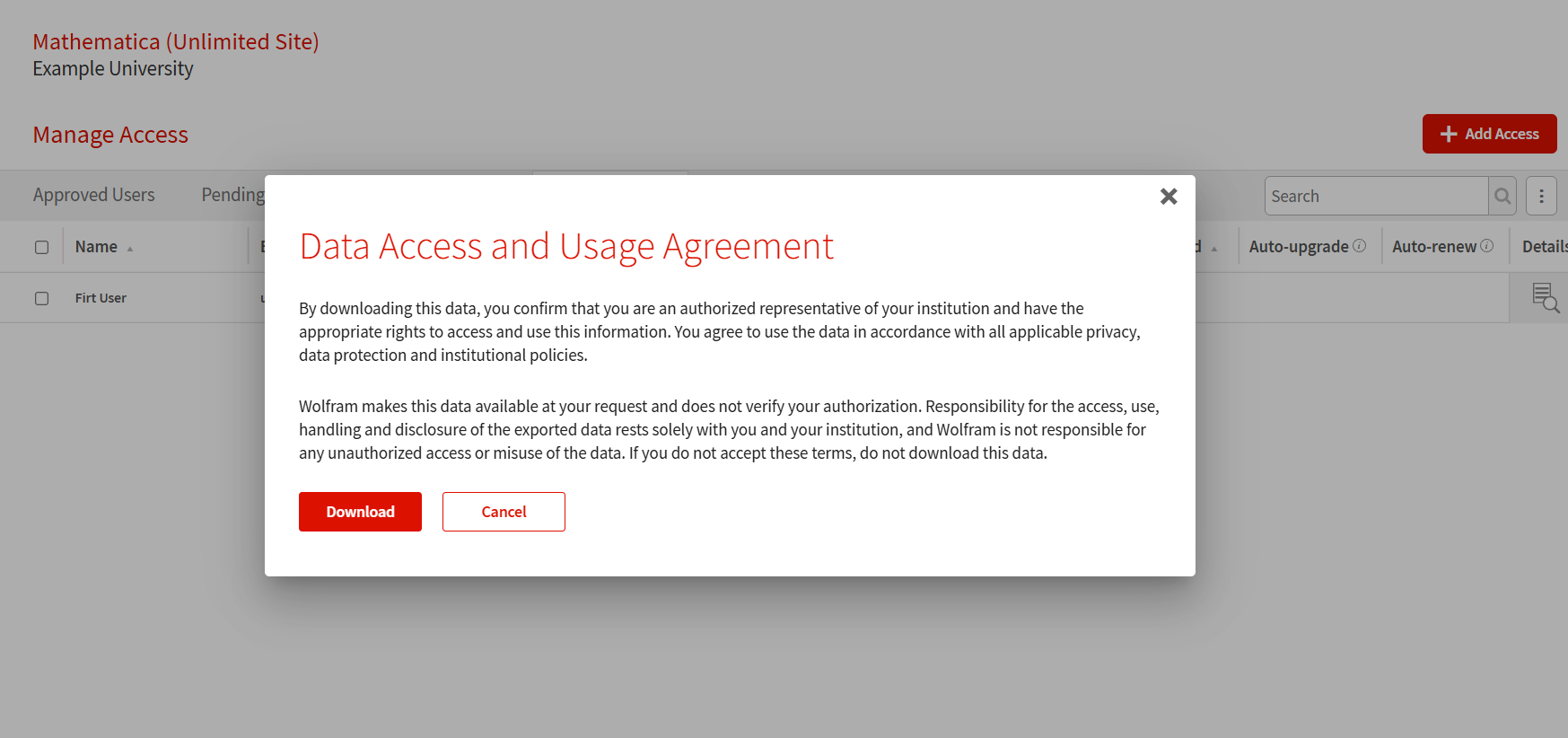
- Click “Download” to confirm and download the file.
Contact Support
Whether you have a question about billing, activation or something more technical, we are ready to help you.


1-800-WOLFRAM (+1-217-398-0700 for international callers)
Customer Support
Monday–Friday
8am–5pm US Central Time
- Product registration or activation
- Pre-sales information and ordering
- Help with installation and first launch
Advanced Technical Support (for eligible customers)
Monday–Thursday
8am–5pm US Central Time
Friday
8:30–10am & 11am–5pm US Central Time
- Priority technical support
- Product assistance from Wolfram experts
- Help with Wolfram Language programming
- Advanced installation support